Испорака

Времето за испорака може да се разликува зависно од продавницата и државата. Политика на испорака за да дознаете повеќе

Shop Computer Components & PC Parts Online in North Macedonia

Сортирај по
|
31% ИСКЛУЧЕНО
ARCTIC MX-4 4 g - Premium Performance Thermal Paste for All Processors
US Продавница
ARCTIC

ARCTIC MX-4 4 g - Premium Performance Thermal Paste for All Processors

4.8

10k+ bought

MKD 688 991

17% ИСКЛУЧЕНО
USB Flash Drive for iPhone/iPad, MFi Certified 3in1, 256GB, Silver
US Продавница
Techkey

USB Flash Drive for iPhone/iPad, MFi Certified 3in1, 256GB, Silver

4.4

4k+ bought

MKD 2578 3108

15% ИСКЛУЧЕНО
Capture Card, 4K HDMI Video Capture Card, Game Capture Card, 1080P 60FPS Video Capture Device, HDMI to USB 3.0 Capture Card for Streaming, Work with Camera/Xbox/PS4/PS5/PC/OBS
9% ИСКЛУЧЕНО
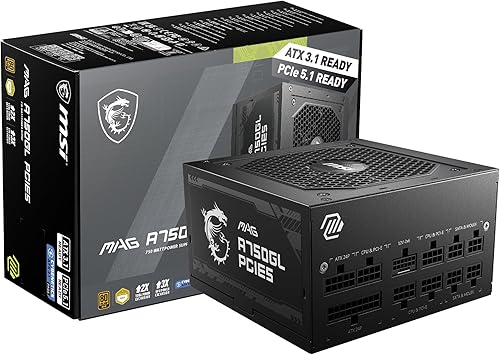
MSI MAG A750GL PCIE5, Fully Modular Compact Gaming 750W Power Supply, 80+ Gold, ATX 3.1 & PCIe 5.1 Ready, Native Dual-Color 12V-2x6 Cable,
14% ИСКЛУЧЕНО
AMD Ryzen 5 5500 6-Core, 12-Thread Unlocked Desktop Processor with Wraith Stealth Cooler
35% ИСКЛУЧЕНО
ARCTIC MX-7 4 g, incl. MX-Cleaner - Ultimate Performance Thermal Paste
US Продавница
ARCTIC

ARCTIC MX-7 4 g, incl. MX-Cleaner - Ultimate Performance Thermal Paste

4.8

3k+ bought

MKD 1036 1596

19% ИСКЛУЧЕНО
AMD RyzenTM 5 9600X 6-Core, 12-Thread Unlocked Desktop Processor
US Продавница
AMD

AMD RyzenTM 5 9600X 6-Core, 12-Thread Unlocked Desktop Processor

4.8

3k+ bought

MKD 13774 16951

37% ИСКЛУЧЕНО
TP-Link WiFi 6 PCIe WiFi Card for Desktop PC- AX3000 Dual Band Network Card
25% ИСКЛУЧЕНО
Thermal Grizzly PhaseSheet PTM 50x40 mm Phase-Change Thermal Pad CPU GPU
20% ИСКЛУЧЕНО
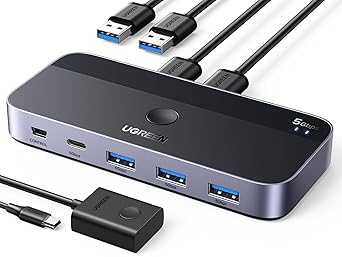
UGREEN USB 3.0 Switch 2 Computers Sharing USB C & A Devices, 4 Port USB Switcher Sharing Keyboard and Mouse, Printer/Scanner USB Switch Hub for Two Computers with 2 USB3.0 Cables and Controller
6% ИСКЛУЧЕНО
Thermal Grizzly Kryonaut - 1 Gram - Extremely High Performance Thermal Paste + 12 Cleaning Wipes 6 Wet & 6 Dry - for Demanding Applications and Overclocking CPU/GPU/PS4/PS5/Xbox
17% ИСКЛУЧЕНО
CORSAIR Vengeance LPX DDR4 RAM 32GB 2x16GB Up to 3200MHz CL16-20-20-38 1.35V Intel XMP AMD EXPO Computer Memory Black CMK32GX4M2E3200C16
22% ИСКЛУЧЕНО
GIGABYTE B550 Gaming X V2 AMD AM4 ATX Motherboard, Supports Ryzen 5000/4000/3000 Series Processors, DDR4, 10+3 Power Phase, 2X M.2, PCIe 4.0, Front USB-C, GbE LAN, Q-Flash Plus, RGB Fusion
18% ИСКЛУЧЕНО
WiFi 6E Wireless Card Intel AX210 NGW Bluetooth 5.3 Tri-Band 5400Mbps Network Adapter for Laptop Support Windows 10/11 64bit M.2/NGFF
20% ИСКЛУЧЕНО
Kingston NV3 500GB M.2 2280 NVMe SSD | PCIe 4.0 Gen 4x4 | Up to 5000 MB/s | SNV3S/500G
34% ИСКЛУЧЕНО
AMD RyzenTM 9 9900X 12-Core, 24-Thread Unlocked Desktop Processor
US Продавница
AMD

AMD RyzenTM 9 9900X 12-Core, 24-Thread Unlocked Desktop Processor

4.8

1k+ bought

MKD 24969 38055

PTM7950 40x80x0.25mm Phase Change GPU Thermal Pad
US Продавница
JOYJOM

PTM7950 40x80x0.25mm Phase Change GPU Thermal Pad

4.5

1k+ bought

MKD 1588

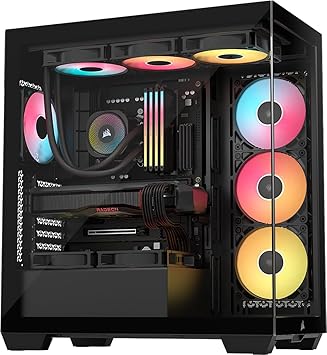
CORSAIR 3500X RS ARGB Panoramic Mid-Tower PC Case Black
US Продавница
Corsair

CORSAIR 3500X RS ARGB Panoramic Mid-Tower PC Case Black

4.6

1k+ bought

MKD 10294

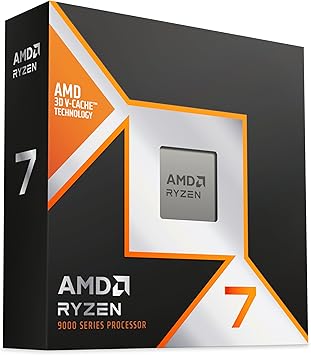
AMD RyzenTM 7 9850X3D Desktop Processor
US Продавница
AMD

AMD RyzenTM 7 9850X3D Desktop Processor

4.8

1k+ bought

MKD 36920

18% ИСКЛУЧЕНО
Thermal Grizzly Kryonaut - 1 Gram Thermal Paste Extremely High Performance
8% ИСКЛУЧЕНО
Asus ROG Strix B550-F Gaming WiFi II AMD AM4 3rd Gen Ryzen ATX DDR4 Gaming Motherboard PCIe 4.0, WiFi 6E, 2.5Gb LAN, BIOS Flashback, HDMI 2.1, Addressable RGB Header and Aura Sync
US Продавница
ASUS

Asus ROG Strix B550-F Gaming WiFi II AMD AM4 3rd Gen Ryzen ATX DDR4 Gaming ...

4.6

1k+ bought

MKD 12790 13925

Lian Li V100-ATX Mid-Tower PC Case-Black-V100RX
US Продавница
Lian Li

Lian Li V100-ATX Mid-Tower PC Case-Black-V100RX

4.8

1k+ bought

MKD 5983

Shop Computer Components Online at Ubuy North Macedonia for Building, Upgrading, and Repairing Systems

This category includes computer components for desktop builds, laptop upgrades, gaming rigs, workstations, and server hardware.They are ideal for PC builders, gamers, IT professionals, engineers, video editors, and anyone who needs to build or upgrade a computer system.These components are designed for performance, compatibility, and reliability across budget, mid-range, and high-end builds.This category lists more than 100 computer components from the leading international brands.

Key specs include CPU core counts, GPU memory sizes, RAM speeds, and storage capacities etc.

Shop Computer Components Online from Ubuy for Building Your Ultimate Custom PC Rig 

Choosing computer components means selecting the hardware that powers your system. It allows you to customise performance, boost speeds, and personalise your rig to your exact needs, whether for work or play.

You need a dependable setup that brings your digital projects to life. Upgrade your system instantly with a high-performance computer motherboard and processor combo. They quickly eliminate lag using specialised computer parts often preferred for gaming pc builds. 

These tools make system crashes a non-issue. Every premium selection among internal computer hardware parts available here is reliable, and ready for heavy daily workloads.

We offer a wide range of secure equipment from renowned brands to help you find the best desktop computer components or heavy-duty pc upgrade components for high-end workstations. 

Our selection includes computer cooling components, essential custom PC build components, and top-tier gaming PC components online, available for import directly to your doorstep.

Huge Deals and Offers on Computer Components Online at Ubuy

Save big with great deals and exclusive discounts on high-performance CPUs, GPUs, RAM kits, SSDs, and complete component bundles. We make it easy to build or upgrade your system without breaking the bank.

Take a look at our wide selection of computer parts for sale online to build a custom system that perfectly matches your performance goals and budget.

Central Processing Unit (CPU)

What it is: A CPU is the main processor that executes instructions and manages all operations in a computer system.

Why it is used: Use a CPU if you need the core computing power for gaming, video editing, 3D rendering, or everyday tasks.

Design & Features: As one of the most critical Computer Internal Components, CPUs come in different core counts (4, 6, 8, 12, 16+ cores) and clock speeds. Intel and AMD are the two main CPU manufacturers.

Benefits: A good CPU is essential for overall system performance and determines how fast your system handles tasks.

Best for: Gaming, content creation, programming, video editing, and general computing.

Graphics Processing Unit (GPU)

What it is: A GPU is a processor specialised for rendering graphics, games, and parallel computing tasks like AI and video rendering.

Why it is used: Use a GPU if you play modern games, edit 4K/8K video, do 3D modelling, or run machine learning workloads.

Design & Features: GPUs feature complex circuit boards with dedicated VRAM (4GB to 24GB+) and different performance tiers. They sit alongside your other vital computer internal components to power your display outputs. NVIDIA and AMD are the two main GPU manufacturers.

Benefits: A high-end GPU is critical for gaming at high resolutions and for professional creative work.

Best for: Gaming, 3D rendering, video editing, AI/ML, and graphic design.

Motherboard

What it is: A motherboard is the main circuit board that connects all components (CPU, RAM, GPU, storage) and enables communication between them.

Why it is used: Use a motherboard as the foundation of your PC build; it determines which CPU, RAM, and expansion cards are compatible with it.

Design & Features: Motherboards come in ATX, micro-ATX, and mini-ITX form factors. If you want a head start on your build, pre-assembled Desktop Barebones packages often include a motherboard and power supply already fitted inside a chassis. Key features include PCIe slots, RAM slots, M.2 slots, USB ports, and VRM quality.

Benefits: A good motherboard ensures stability, upgradeability, and long-term compatibility.

Best for: All PC builds, upgrading, system stability, and expandability.

Random Access Memory (RAM)

What it is: RAM is temporary, high-speed memory that stores data your CPU needs for quick access while running applications and games.

Why it is used: Use RAM if you want smoother multitasking, faster application loading, and better performance in demanding software.

Design & Features: RAM sticks are slim, plug-and-play modules available in DDR4 and DDR5 generations, with speeds ranging from 2400MHz to 6000MHz+. Common capacities are 8GB, 16GB, 32GB, and 64GB.

Benefits: More RAM and higher speeds improve performance in gaming, video editing, and virtual machines.

Best for: Gaming, video editing, multitasking, virtual machines, and content creation.

Solid State Drive (SSD)

What it is: An SSD is a fast storage device that stores your operating system, applications, games, and files with much faster read/write speeds than traditional hard drives.

Why it is used: Use an SSD as your primary drive for the operating system and active projects to achieve fast boot times and quick file access.

Design & Features: SSDs come in SATA and compact NVMe M.2 form factors with capacities ranging from 250GB to 4TB+. While external drives connect via the computers external component ports, internal M.2 SSDs plug directly into the motherboard for maximum speed, ranging from 500MB/s (SATA) to 7000MB/s+ (NVMe Gen4/Gen5).

Benefits: An SSD is essential for modern computing speed and responsiveness.

Best for: Operating system drive, applications, games, active projects, and fast storage.

Power Supply Unit (PSU)

What it is: A PSU converts electricity from your outlet into stable power for all components in your computer system.

Why it is used: Use a PSU for reliable, efficient power delivery that protects your components from voltage spikes and instability.

Design & Features: PSUs are enclosed metal boxes that come in different wattages (450W to 1000W+) and efficiency ratings (80+ Bronze, Gold, Platinum). Higher wattage and better efficiency are needed for high-end GPUs and CPUs.

Benefits: A quality PSU is critical for system stability and component longevity.

Best for: Powering all components, system stability, protecting hardware, and high-performance builds.

Cooling System (Air and Liquid)

What it is: A cooling system keeps your CPU and GPU at safe temperatures during heavy workloads to prevent thermal throttling and damage.

Why it is used: Use cooling for stable performance, quieter operation, and longer component lifespan under load.

Design & Features: Systems rely on dedicated Internal fans and cooling components, including traditional air tower coolers and liquid AIO coolers. Sizes range from 120mm to 360mm radiators for liquid coolers.

Benefits: Good cooling is essential for gaming, overclocking, and sustained workloads.

Best for: Gaming, overclocking, high-performance builds, sustained workloads, quiet operation.

Choose the Right Computer Components for Your Build and Performance Goals

Picking the right computer parts is all about finding what fits your performance needs, budget, and compatibility. We have organised our wide selection of parts by type and what they do best to make selection easy. Just look through our extensive range to find the perfect components for your setup and build a gaming rig, a creative workstation, or a reliable office PC.

Type 

Application

Brands

CPU

Gaming, content creation, and general computing

Intel, AMD

GPU

Gaming, 3D rendering, video editing, and AI/ML

NVIDIA, AMD, Intel

Motherboard

All PC builds, compatibility, and expandability

ASUS, MSI, Gigabyte, ASRock

RAM

Gaming, multitasking, video editing, virtual machines, and local AI/ML

Corsair, G.Skill, Kingston, Crucial

SSD

Operating system, applications, games, and fast storage

Samsung, WD, Crucial, Kingston

PSU

Power delivery, system stability, and high-performance builds

Corsair, Seasonic, be quiet!, MSI

Cooling

Gaming, overclocking, high-performance builds, and quiet operation

Noctua, Corsair, NZXT, Cooler Master

Related Categories You Can Explore

Computer Internal Components: Find essential parts like motherboards and graphics cards to build or upgrade your PC from the inside out.

Computer External Components: Complete your setup with monitors, keyboards, mice, and extra storage drives that plug right into your machine.

Computer CPU Processors: Browse the latest chips from Intel and AMD to give your computer the core processing power it needs.

Internal Fans and Cooling Components: Shop reliable fans and liquid cooling kits to keep your system safe from overheating during heavy use.

Frequently Asked Questions About Computer Components

  • How Do I Choose Compatible Computer Components?

    Always check your motherboards specifications to ensure it matches your CPU socket type, RAM generation, and case size before buying parts.
  • Which Graphics Card is Best for Gaming PCs?

    The top-tier options, such as NVIDIAs RTX 40-series and AMDs RX 7000-series, deliver the best frame rates and visual performance for modern gaming.
  • How Much RAM is Recommended for Gaming and Multitasking?

    We recommend 16GB of RAM for standard gaming, but upgrading to 32GB ensures seamless multitasking and better performance for heavy streaming.
  • How Do I Upgrade My Desktop Computer Components?

    First, unplug your PC, open the side panel, safely remove the outdated hardware, and slide the new, compatible component into its proper slot.
  • What are the Best Storage Options for Faster Performance?

    An NVMe M.2 SSD is the best choice for storage. It provides blazing-fast read and write speeds that outperform older, traditional hard drives.
  • Can I Install Computer Components Myself?

    Installing computer parts yourself is a straightforward process. You just need a screwdriver kit, the product manuals, a little patience, and basic safety precautions.